
# Restore Lightning Wallet
If you already have a Lighting Wallet and want to restore it, you can do so via the MyNode interface.
Note: You will only see the options to create or restore a wallet if no wallet exists. If a wallet has been created, you will first need to delete the Lightning wallet via the settings page before it can be restored.
# Restoring a Lightning Wallet
First, click on Create Wallet under the Lightning app on the MyNode home page.
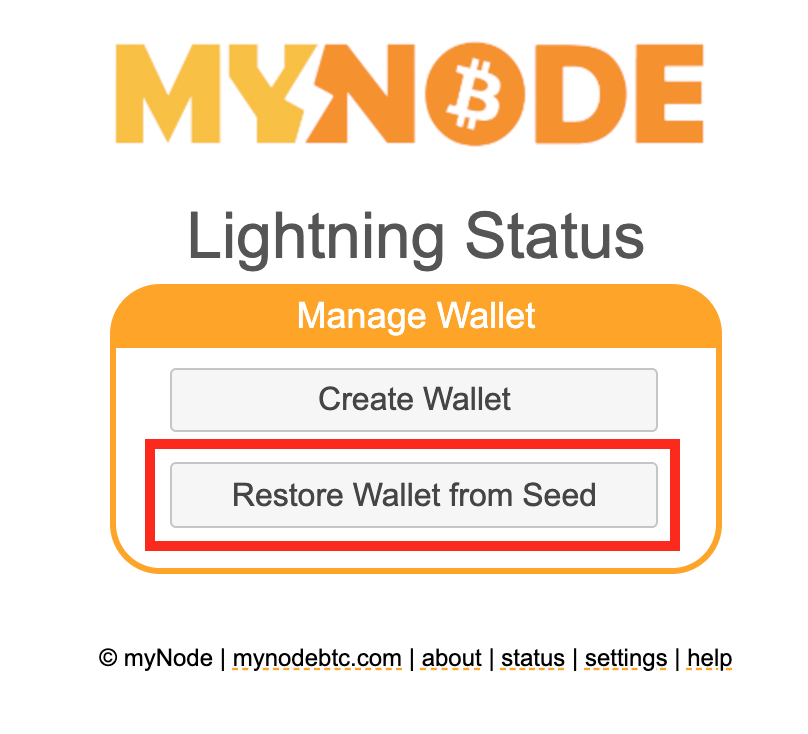
Then, click on "Restore Wallet from Seed" on the Lightning page.
You will need your seed phrase and Static Channel Backup file!
On the next page, enter your seed phrase and upload your Static Channel Backup (SCB) file. Click Create.
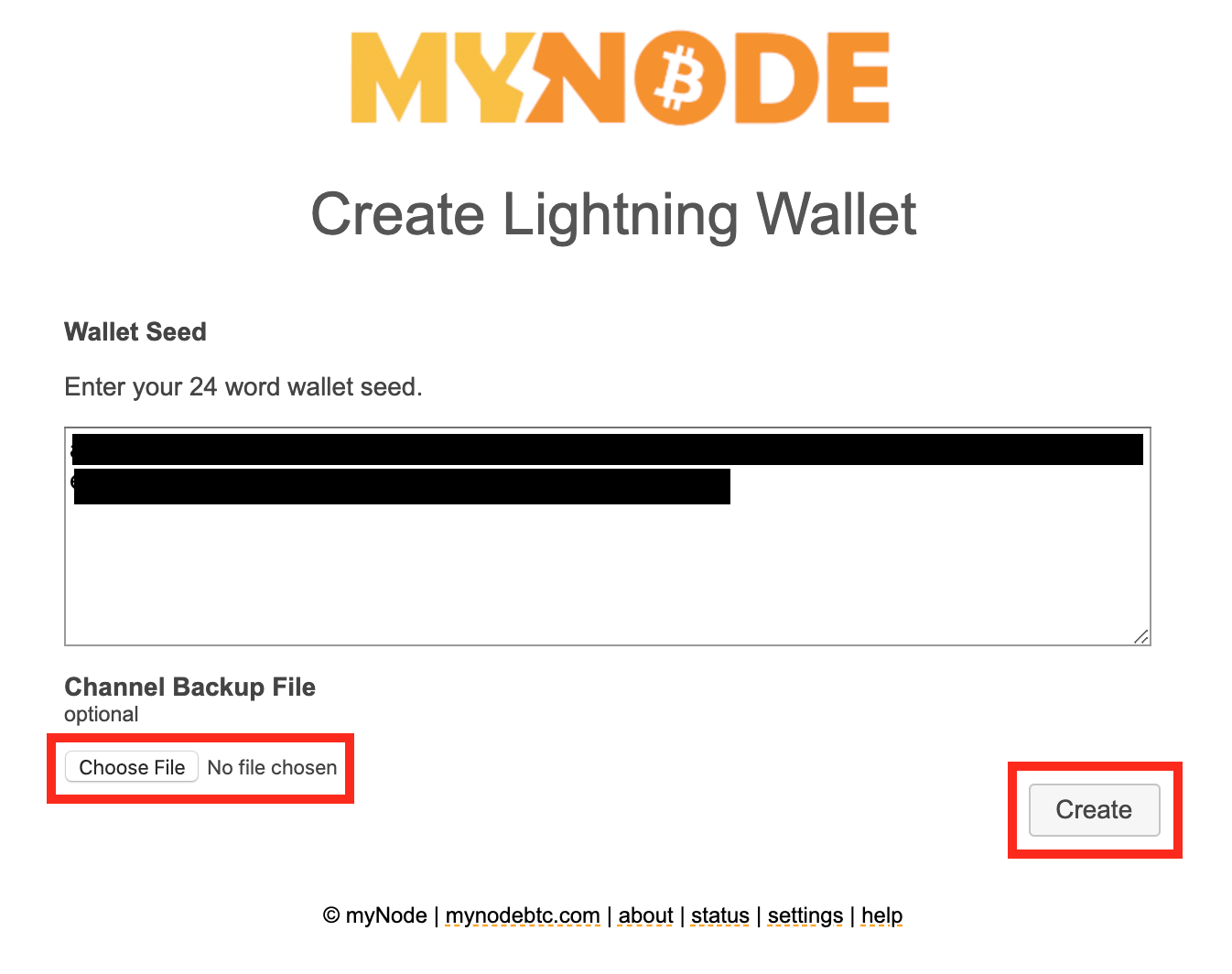
This will restore you on-chain balance, close all channels that had been opened, and restore those funds in you on chain wallet. Seeing the channel funds appear may take a while.
Your Lightning wallet is now setup and ready to use!
# Manual Recovery
If all funds do not re-appear, you may need to use the lightning CLI to recover or check on the status of channels that are being closed.
Below are more resources for recovering wallets.